Setup Node Guide
Overview
The Setup Node is a specialized component in NINA workflows designed to retrieve your organization's foundational data. It serves as a starting point for workflows that need access to your organization's domains, IP addresses, emails, credit cards, and BIN codes from internal data sources.
Use Cases
- Initializing security scans with your organization's domain portfolio
- Setting up vulnerability assessments across your IP address ranges
- Preparing email-based phishing simulations or security awareness campaigns
- Conducting financial security audits using organizational credit card data
- Performing BIN code analysis for payment security workflows
- Creating comprehensive asset inventories for security assessments
- Establishing baseline data for compliance reporting workflows
Creating a Setup Node
Basic Setup
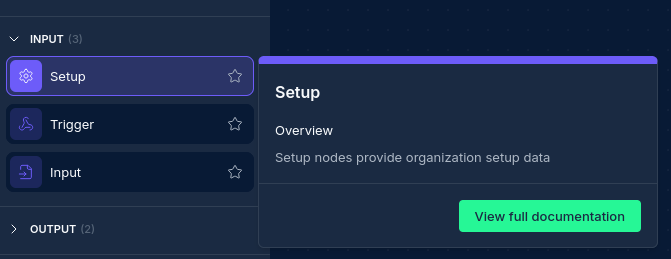
- Drag a Setup Node from the node palette onto your workflow canvas
- Give your node a descriptive name (e.g., "org-domains", "company-assets", "baseline-data")
- Configure the data types you want to retrieve
- Select appropriate credentials for data access
Data Type Selection
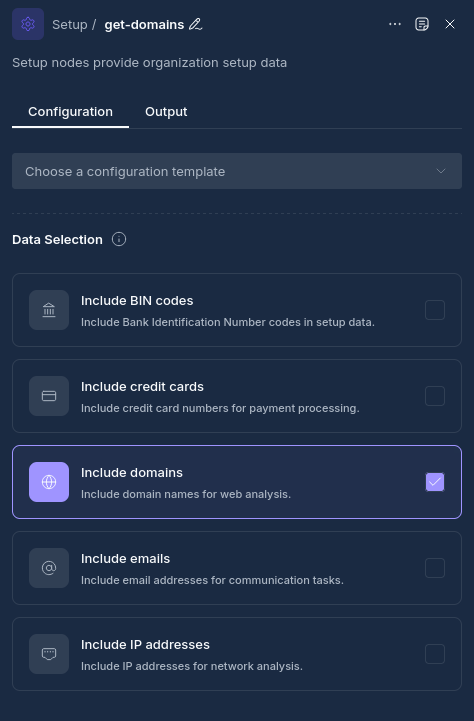
The Setup Node can retrieve several types of organizational data:
Available Data Types
- Domains: Your organization's registered domain names
- IP Addresses: IP address ranges owned by your organization
- Email Addresses: Email addresses associated with your organization
- Credit Cards: Organizational credit card information (for security testing)
- BIN Codes: Bank Identification Numbers for payment analysis
Configuration Options
Node Properties
| Property | Description |
|---|---|
| Name | A descriptive name for the node |
| Include Domains | Enable to retrieve organizational domain data |
| Include IPs | Enable to retrieve IP address information |
| Include Emails | Enable to retrieve email address data |
| Include Credit Cards | Enable to retrieve credit card information |
| Include BIN Codes | Enable to retrieve BIN code data |
Data Type Requirements
- At least one data type must be selected for the node to function
- Different data types may require different credential permissions
- Some data types may have usage limitations based on your organization's policies
How Setup Nodes Work
When a workflow is executed:
- The Setup Node validates that at least one data type is selected
- The node retrieves the requested data types from internal data sources
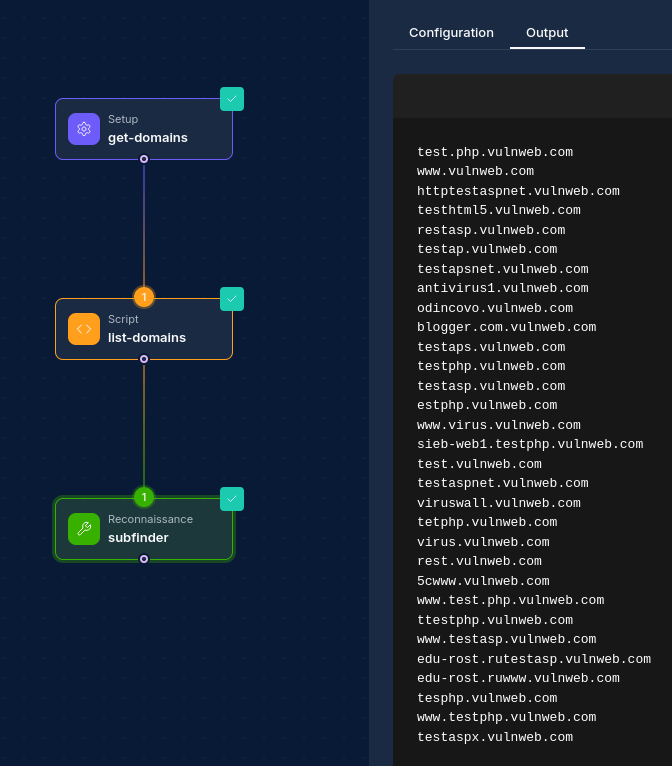
- Data is formatted into a structured JSON output containing all requested information
- The organized data becomes available to downstream nodes for processing
- A timestamp is included to track when the data was retrieved
Best Practices
- Select Relevant Data Types: Only enable data types that your workflow actually needs
- Use Descriptive Names: Give your Setup Node a clear name indicating its purpose
- Data Freshness: Consider data refresh frequency for long-running workflows
- Downstream Processing: Plan how downstream nodes will consume the structured data
Example Configurations
Example 1: Domain Security Scan Setup
Configuration:
- Name: "domain-baseline"
- Include Domains: ✓
- Include IPs: ✓
- Include Emails: ✗
- Include Credit Cards: ✗
- Include BIN Codes: ✗
Use Case: Initialize a comprehensive domain and IP security scanning workflow
Example 2: Email Security Assessment
Configuration:
- Name: "email-security-data"
- Include Domains: ✓
- Include IPs: ✗
- Include Emails: ✓
- Include Credit Cards: ✗
- Include BIN Codes: ✗
Use Case: Prepare data for email security assessments and phishing simulations
Example 3: Complete Asset Inventory
Configuration:
- Name: "full-org-assets"
- Include Domains: ✓
- Include IPs: ✓
- Include Emails: ✓
- Include Credit Cards: ✓
- Include BIN Codes: ✓
Use Case: Create a comprehensive organizational asset inventory for compliance reporting
Next Steps
After configuring your Setup Node, connect it to downstream nodes such as:
- Script Nodes: To filter, transform, or analyze the retrieved data
Updated: 2025-12-02