Hacking Node Guide
Overview
The Hacking Node is a specialized component in NINA that enables offensive security simulations and attack emulation. This node allows you to automate various security testing operations against specified targets, helping identify vulnerabilities and security weaknesses in a controlled environment.
Use Cases
- Red team operations and simulations
- Vulnerability verification and exploitation
- Attack path validation
- Penetration testing automation
- Security control validation
- Exploit demonstration for security training
- Proof-of-concept validation for security issues
Creating a Hacking Node
Basic Setup
- Drag a Hacking Node from the node palette onto your workflow canvas
- Connect it to an input source containing target information
- Configure the attack parameters and options
- Select the appropriate output format
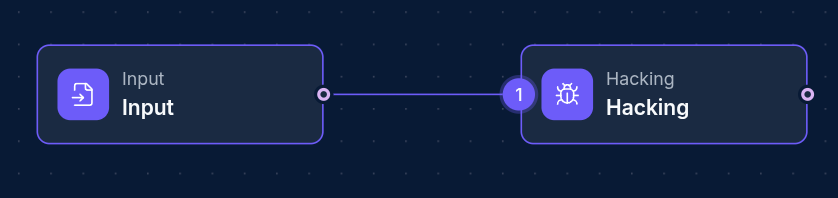
Target Configuration
The Hacking Node requires properly structured target information from upstream nodes. Target data should include:
- Target identifier (hostname, IP, URL)
- Authentication details (if required)
- Target-specific configuration
- Scope limitations
Configuration Options
Node Properties
| Property | Description |
|---|---|
| Name | A descriptive name for the node |
| Hacking Node Configs | JSON configuration for attack parameters |
Attack Configuration
The Hacking Node supports various attack configurations defined in the HackingNodeConfigs property. This can include:
- Attack type and method
- Exploitation techniques
- Payload configuration
- Post-exploitation actions
- Scope and limitation parameters
- Safety controls
How Hacking Nodes Work
When a workflow is executed:
- The Hacking Node receives target information from upstream nodes
- It validates the target data against the required input format
- The node configures and initiates the specified attack against the targets
- Attack progress is monitored and status updates are collected
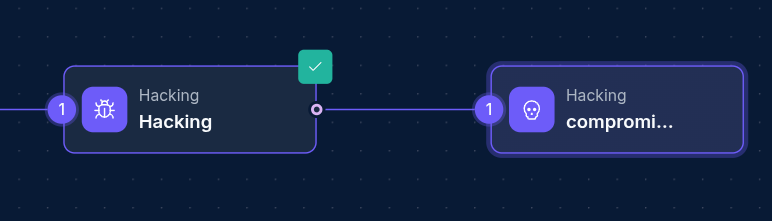
- If a target is successfully compromised, a Compromised Machine Node is automatically created
- Attack results and status information are provided as output
Compromised Machine Nodes
A unique feature of Hacking Nodes is their ability to dynamically create Compromised Machine Nodes when a target is successfully compromised. These nodes:
- Are automatically added to the workflow
- Are connected to the Hacking Node with a new edge
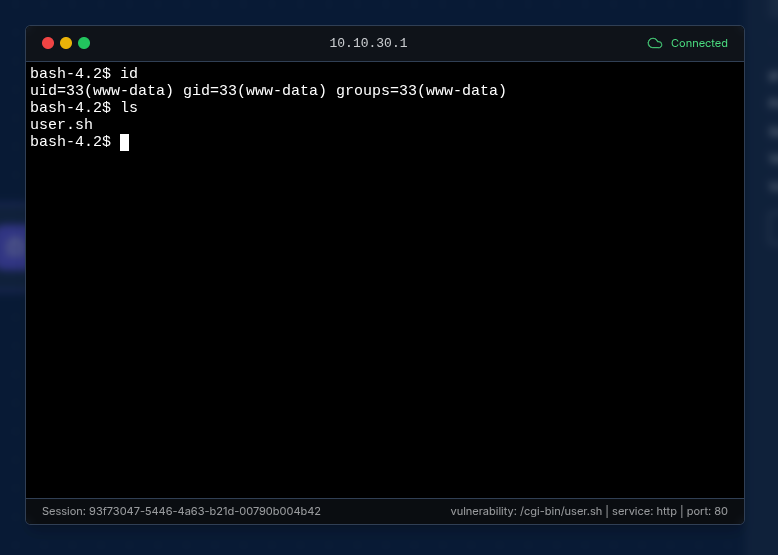
- Contain session information for interacting with the compromised target
- Allow further post-exploitation activities and data gathering providing a terminal functionality for direct communication with the compromised machine
Example Configuration
{
  "ip": "10.10.30.1",
  "port": 80,
  "service": "http",
  "version": "Apache httpd 2.4.18",
  "vulnerability": "/cgi-bin/user.sh",
  "template": "CVE-2014-6271"
}
Troubleshooting
| Issue | Resolution |
|---|---|
| Attack timeout | Adjust timeout parameters or reduce target count |
| Authentication failures | Verify credential configuration |
| Target connectivity issues | Check network connectivity and target availability |
| No compromised machines generated | Verify target vulnerability and attack configuration |
| Workflow errors | Check input data format and attack configuration |
Next Steps
After running a Hacking Node, you might want to:
- Explore the generated Compromised Machine Nodes
- Run post-exploitation scripts on compromised targets using the terminal
- Generate reports documenting the findings
- Use Script Nodes to analyze the attack results
Updated: 2025-12-02